NVMe Dedicated Server: Is It Worth It? NVMe vs SATA SSD Explained
November 17, 2026 · by Md Amanur Rahman · 6 min read · 2 views
When you compare dedicated servers, the storage line often reads something like "2 x 960 GB NVMe" next to another plan that says "2 x 960 GB SSD." The capacity is identical, and the price is not. Is the NVMe version really worth paying more for? For many sites, yes. For some, no. This guide explains what actually changes, who benefits, and what to check before you order.
What NVMe Actually Is
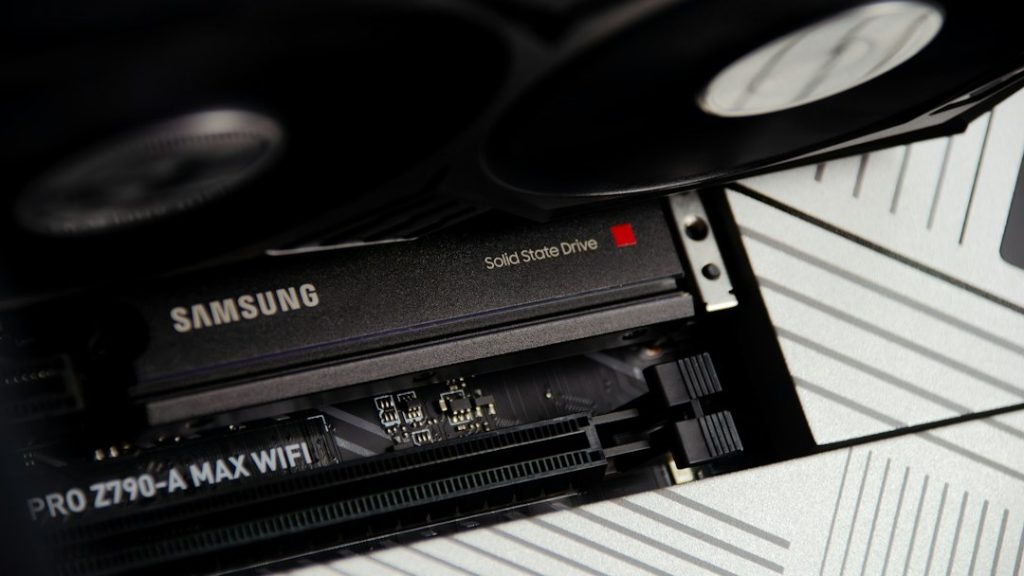
NVMe (Non-Volatile Memory Express) is a way of connecting flash storage directly to the processor over the PCIe bus. A traditional SATA SSD uses an older interface that was designed for spinning hard disks, and that interface becomes the bottleneck long before the flash chips do. NVMe removes that bottleneck and lets the drive handle many requests in parallel.
The result is the same kind of storage chips, but a much faster road to reach them.
NVMe vs SATA SSD: The Numbers
Exact figures depend on the drive model, so treat these as typical ranges for current enterprise drives, as published by hosting providers and drive makers:
| Measure | SATA SSD | NVMe SSD |
|---|---|---|
| Sequential read speed | About 500 to 550 MB/s | About 3,000 to 7,000 MB/s |
| Random read operations (IOPS) | About 80,000 to 100,000 | About 500,000 to 1,000,000 or more |
| Access latency | About 100 to 200 microseconds | About 10 to 50 microseconds |
| Cost per GB | Lower | Higher |
Notice that the gap is largest in random operations and latency, not in the big sequential number everyone quotes. That detail decides whether NVMe helps you.
Why Random IOPS Matter More Than Headline Speed
Copying one large file is a sequential job. Running a website is not. A database answers thousands of small, scattered read and write requests, and each one waits for the disk. When many visitors arrive at once, those waits stack up.
This is why a WooCommerce store feels the difference at checkout, where every order writes to the database, while a site that only serves static pages feels almost nothing. If your slow part is disk access, NVMe is one of the few upgrades that moves the needle directly. If your slow part is CPU or unoptimized code, it will not. We explain how to tell the difference in our guide to WooCommerce server requirements.
When NVMe Is Worth the Extra Cost
- Database-driven sites. WooCommerce, Magento, membership sites and busy WordPress installs with large databases.
- Many things happening at once. Stores running sales, campaigns or imports while customers check out.
- Several services on one server. Web server, database, search and cache all competing for the same disk.
- Fast backups and restores. Large databases copy and restore noticeably faster.
- Virtual machines or containers. Many small workloads create exactly the random I/O NVMe handles well.
When a SATA SSD Is Still Fine
- A small brochure or blog site where most pages are cached
- A server mainly serving static files
- A tight budget where CPU and RAM matter more than disk speed
- Archive or backup storage, where large cheap capacity matters more than speed
If you are weighing cost carefully, our guide to a cheap dedicated server shows where saving money is safe and where it is not. Our advice: do not skimp on storage speed for a store that takes orders.
Questions to Ask Before You Order
- How many drives, and in what RAID level? Two drives in RAID 1 mirror your data, so one failed drive does not take the server down. RAID 10 on four drives adds speed on top.
- Are the drives enterprise or consumer models? Enterprise drives are built for constant writes and have higher endurance, which matters for a busy database.
- What is the real usable capacity? Mirroring halves usable space, so two 960 GB drives in RAID 1 give you about 960 GB.
- Is the CPU and RAM matched to the storage? Fast storage cannot rescue a server that is short of memory. See why server-grade hardware matters in our Xeon dedicated server guide.
How Much NVMe Capacity Do You Need?
Start from what you use today, then add the things people forget: database indexes that grow with the tables, log files nobody rotates, backup copies staged on the server before they are moved elsewhere, and temporary files from imports. A sensible rule of thumb is to leave roughly 20 to 30 percent of the drive free, because flash drives perform best, and last longest, when they are not packed full. If you are unsure, configuring a custom server lets you choose capacity instead of accepting a fixed plan.
NVMe Does Not Replace Backups
NVMe is fast, but it is still a single machine. A drive can fail, and RAID protects against one drive failing, not against deleted data, a bad update or a hacked site. Keep automated backups off the server and test a restore now and then. If you would rather hand this off, a managed dedicated server can take care of backups and monitoring for you.
Does NVMe Help SEO?
Not directly. Google does not rank a site higher because it uses NVMe. The benefit is indirect: faster database responses lower server response time, and pages that respond quickly are easier to keep within good Core Web Vitals. For a store, the bigger win is usually fewer slow checkouts at busy times.
Quick Answers
Is NVMe faster than SSD?
Yes. An NVMe SSD uses the faster PCIe connection instead of the older SATA interface, which gives much higher random operations per second and lower latency. The biggest practical gain shows up in database workloads.
Is an NVMe dedicated server worth it for WooCommerce?
Usually yes, because WooCommerce relies heavily on the database during cart and checkout. It helps most when disk access, not CPU, is what slows your store.
Is NVMe more reliable than a SATA SSD?
Not by itself. Reliability depends on the drive quality, the RAID setup and your backups. Choose enterprise-grade drives and mirror them.
Get a Server with the Storage Your Site Needs
Tell us what you run, how big your database is and how fast it is growing, and we will help you choose NVMe capacity, RAID layout, CPU and RAM that fit. You pay for what your site needs and nothing more. If you want to understand the hardware class first, our bare metal server guide explains how a dedicated machine differs from shared resources.
Want a dedicated server with NVMe storage built around your site?
Looking for a Dedicated Server for Your Business?
Contact OceanWebHosting for a custom server solution.
Explore Dedicated Servers